Shared Hosting vs VPS Hosting: Which One Should You Choose in 2026?
Confused between shared hosting and VPS hosting? Learn the key differences in price, performance, security, scalability and management to choose the right hosting for your website.
Zonetic Hosting Team
Blogger & SEO Expert
In this article
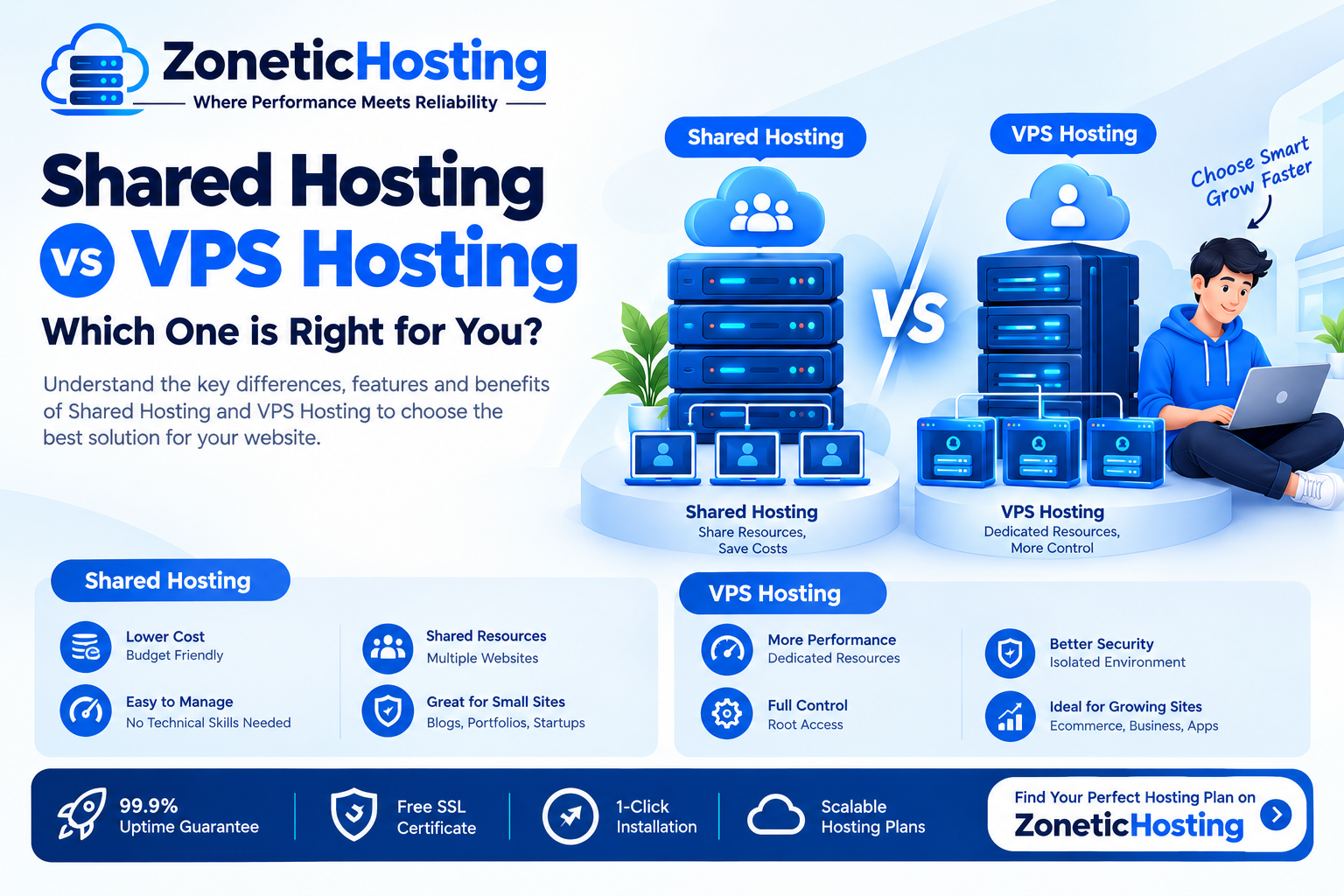
Shared Hosting vs VPS Hosting: Which One Should You Choose in 2026?
Choosing the right web hosting is one of the most important decisions when launching a website. Two of the most popular options are Shared Hosting and VPS Hosting.
But which one is better for your website?
The answer depends on your website traffic, performance requirements, budget, technical knowledge, and future growth plans.
In this guide, we’ll explain Shared Hosting vs VPS Hosting, their differences, advantages, disadvantages, pricing considerations, and when you should choose each option.
Shared Hosting vs VPS Hosting: Quick Comparison
FeatureShared HostingVPS HostingPriceLowerHigherResourcesSharedDedicated/allocatedPerformanceGood for small websitesBetter for growing websitesTraffic HandlingLow to moderateModerate to highServer ControlLimitedMuch greaterTechnical KnowledgeBeginner-friendlyRequires more knowledgeSecurityGoodBetter isolation and controlScalabilityLimitedHighBest ForBlogs, portfolios, small businessesGrowing websites, applications, eCommerceManagementUsually managedManaged or unmanaged
The biggest difference is simple:
Shared Hosting shares server resources with other websites, while VPS Hosting provides your website with an isolated virtual server environment and allocated resources.
What Is Shared Hosting?
Shared Hosting is a type of web hosting where multiple websites are hosted on the same physical server.
The server's resources, such as CPU, RAM, storage, and network capacity, are shared among multiple hosting accounts.
For beginners, shared hosting is often the easiest and most affordable way to get a website online.
For example, if you are launching:
A personal blog
A portfolio website
A small business website
A company website
A basic WordPress website
A landing page
A small informational website
then shared hosting can be more than enough.
How Shared Hosting Works
Think of a shared hosting server like an apartment building.
The building is one physical server, while each apartment represents a different hosting account.
You have your own space and access, but the underlying infrastructure is shared.
This helps hosting providers keep prices affordable.
Advantages of Shared Hosting
1. Affordable Pricing
Shared hosting is usually the cheapest way to host a website.
This makes it suitable for beginners, students, startups, bloggers, and small businesses.
2. Easy to Use
Most shared hosting plans come with a control panel and tools that make it easy to:
Install WordPress
Create email accounts
Manage domains
Upload website files
Create databases
Install SSL certificates
Manage backups
You generally don't need advanced Linux or server administration knowledge.
3. Low Maintenance
The hosting provider generally manages the underlying server infrastructure.
You don't have to worry about configuring an entire server from scratch.
4. Suitable for Small and Medium Websites
If your website doesn't receive huge amounts of traffic, shared hosting can provide sufficient performance at a much lower cost than a VPS.
Disadvantages of Shared Hosting
Shared hosting also has limitations.
Because resources are shared, performance can be affected when the server is heavily loaded.
Other limitations may include:
Lower resource limits
Less server-level control
Limited customization
Restrictions on certain applications
Lower scalability compared with VPS hosting
For a small website, these limitations may not matter.
But as your website grows, you may eventually need more resources.
What Is VPS Hosting?
VPS stands for Virtual Private Server.
VPS hosting uses virtualization technology to divide a physical server into multiple isolated virtual server environments.
Each VPS receives allocated resources such as:
CPU
RAM
Storage
Network resources
Unlike traditional shared hosting, you get much greater control over your server environment.
A VPS can be thought of as having your own virtual server inside a larger physical server.
How VPS Hosting Works
Imagine a large office building divided into separate private offices.
The building is the physical server.
Each private office is a VPS.
Although multiple VPS environments may exist on the same physical machine, they are logically isolated from each other.
This gives you more control and predictable resources compared with typical shared hosting.
Advantages of VPS Hosting
1. Better Performance
VPS hosting generally provides more consistent performance because resources are allocated to your virtual server.
This can be useful for websites and applications that need more CPU, RAM, or processing capacity.
2. More Control
With a VPS, you can usually access the operating system and configure the server according to your requirements.
Depending on the VPS type, you may be able to configure:
Web server
PHP versions
Databases
Firewall
Security tools
Server software
Cron jobs
Applications
This makes VPS hosting suitable for developers and advanced users.
3. Better Scalability
As your website grows, you can generally upgrade your VPS resources.
You may be able to increase:
RAM
CPU
Storage
Bandwidth
This makes VPS hosting a better long-term option for growing websites and applications.
4. Suitable for High-Traffic Websites
VPS hosting can handle more demanding workloads than basic shared hosting.
It can be suitable for:
Growing eCommerce websites
Web applications
SaaS platforms
High-traffic blogs
Business applications
Development environments
APIs
Custom applications
5. Greater Server-Level Customization
Developers can configure the environment according to their application requirements.
For example, you may want a particular Linux distribution, web server, database configuration, or software stack.
A VPS gives you much more flexibility than shared hosting.
Disadvantages of VPS Hosting
VPS hosting isn't automatically better for everyone.
1. Higher Cost
VPS hosting generally costs more than shared hosting.
If your website is small and receives limited traffic, paying for a VPS may not provide much additional value.
2. More Technical Knowledge
An unmanaged VPS can require knowledge of:
Linux
SSH
Firewalls
Server security
Web servers
DNS
Databases
Backups
Server monitoring
If you don't know how to manage these things, a managed VPS may be a better option.
3. Server Management
With an unmanaged VPS, you may be responsible for maintaining and securing the server.
That includes software updates, security configuration, backups, monitoring, and troubleshooting.
Shared Hosting vs VPS Hosting: Performance
Performance is one of the biggest differences between shared hosting and VPS hosting.
Shared Hosting
Shared hosting performance depends on the server configuration, resource limits, and workload of the other accounts on the server.
For a normal business website or blog, good shared hosting can still provide excellent performance.
VPS Hosting
A VPS generally provides more predictable resources and greater control over performance.
You can also optimize the server specifically for your application.
Which Is Faster?
There is no universal answer.
A well-optimized shared hosting account can outperform a poorly configured VPS.
However, a properly configured VPS generally offers more resources, control, and scalability for demanding workloads.
Shared Hosting vs VPS Hosting: Security
Both hosting types can be secure when properly configured.
With shared hosting, the hosting provider handles much of the server-level security.
A good hosting provider should implement measures such as:
Firewall protection
Malware monitoring
Security updates
Account isolation
SSL support
Backup systems
With a VPS, you get greater control over security, but you also have greater responsibility.
You may need to configure:
Firewall rules
SSH security
User permissions
Security updates
Malware protection
Backups
Monitoring
So VPS hosting can provide more control, but more control also means more responsibility.
Shared Hosting vs VPS Hosting: Pricing
Price is one of the biggest reasons beginners choose shared hosting.
Shared hosting plans can be very affordable, especially when purchased for longer billing periods.
For example, ZoneticHosting offers shared web hosting plans designed for websites that need affordable hosting without the complexity of server management.
On the other hand, VPS hosting costs more because you receive more resources and greater server-level control.
When comparing prices, don't look only at the monthly price.
Also check:
Renewal price
CPU allocation
RAM
Storage type
Bandwidth
Backup policy
Support
Management
Control panel fees
SSL
Migration assistance
A cheap VPS can become expensive if you need to purchase additional management or control-panel services.
Shared Hosting vs VPS Hosting for WordPress
If you're running WordPress, both options can work.
Choose Shared Hosting if:
You are starting a new website
Your traffic is relatively low
You have a small business website
You run a blog
You don't need server-level customization
You want simple management
Choose VPS Hosting if:
Your WordPress website receives significant traffic
You run a large WooCommerce store
Your website uses resource-intensive plugins
You need custom server configurations
You need more control over PHP, databases, caching, or server software
For a new WordPress website, starting with shared hosting and upgrading later is often a practical approach.
Shared Hosting vs VPS Hosting for Small Businesses
For most small businesses, shared hosting is a good starting point.
For example, a local business website with:
5–20 pages
Contact forms
Business information
Images
Blog
Basic lead generation
usually doesn't require a VPS from day one.
Instead, focus on:
Website speed
SSL
Backups
Security
Good hosting support
Reliable uptime
Proper website optimization
You can move to VPS hosting when your business website starts requiring more resources.
When Should You Upgrade from Shared Hosting to VPS?
You don't need to move to VPS simply because your website becomes older.
Upgrade when your actual requirements justify it.
Consider moving to a VPS if:
1. Your Website Consistently Uses Its Resources
If your hosting account repeatedly reaches CPU, RAM, or other resource limits, it's worth investigating an upgrade.
2. Traffic Is Increasing
If your website is receiving significantly more visitors and shared hosting is becoming a bottleneck, VPS hosting may be appropriate.
3. You Need More Control
If you need custom server software or configurations that aren't available on shared hosting, VPS is a natural next step.
4. You're Running a Resource-Heavy Application
Applications that require more processing power or memory may benefit from VPS hosting.
5. You're Running an Online Store
A growing eCommerce website may eventually need more resources and control than a basic shared hosting plan provides.
Can You Start with Shared Hosting and Upgrade Later?
Yes.
In fact, this is often one of the most practical approaches for new websites.
You don't need to spend a lot of money on a VPS before you actually need it.
Start with a suitable shared hosting plan.
As your traffic and resource requirements increase, you can move to:
Shared Hosting → VPS Hosting → Cloud/Dedicated Infrastructure
The exact upgrade path depends on your website and application.
Shared Hosting vs VPS Hosting: Which Is Better for Beginners?
For beginners, Shared Hosting is usually the better choice.
Why?
Because you don't have to manage the server yourself.
You can focus on:
Building your website
Creating content
Getting visitors
Growing your business
Instead of spending time managing Linux, firewalls, SSH, databases, and server software.
Shared Hosting vs VPS Hosting: Which Is Better for Developers?
For developers, VPS Hosting usually offers more flexibility.
A VPS gives developers greater control over the environment and allows them to install and configure software according to their application's requirements.
It can be particularly useful for:
Node.js applications
Python applications
APIs
SaaS applications
Custom PHP applications
Docker workloads
Development environments
Databases
Web applications
However, the exact requirements depend on the application.
Shared Hosting vs VPS Hosting: Pros and Cons
Shared Hosting
Pros
Affordable
Beginner-friendly
Easy management
Low maintenance
Suitable for small websites
Usually includes a hosting control panel
Good for blogs and business websites
Cons
Resources are shared
Less server-level control
Limited customization
Lower scalability
Resource limits may apply
VPS Hosting
Pros
More resources
Better isolation
Greater control
Higher scalability
Custom configurations
Suitable for demanding applications
Cons
Higher cost
More technical knowledge may be required
Server management can be your responsibility
Security configuration may require expertise
Which Hosting Should You Choose?
The easiest way to decide is to look at your current requirements.
Choose Shared Hosting if:
You're starting a website and want affordable, simple hosting.
It's ideal for:
Beginners
Bloggers
Small businesses
Portfolio websites
Landing pages
Small WordPress websites
Personal websites
Choose VPS Hosting if:
Your website or application needs more resources, control, or scalability.
It's ideal for:
Growing businesses
High-traffic websites
eCommerce stores
Developers
Web applications
SaaS platforms
APIs
Custom applications
ZoneticHosting: Shared Web Hosting for Beginners and Businesses
If you're looking for affordable web hosting in India, ZoneticHosting provides shared web hosting plans designed for websites that don't need the complexity of managing a VPS.
Plans include features such as:
NVMe-based hosting
Free SSL
Email accounts
Database support
Website hosting
Unmetered bandwidth
Hosting control panel
Support for business and personal websites
ZoneticHosting shared hosting plans are suitable for users who want to get their website online without managing an entire server.
As your website grows and your resource requirements increase, you can consider moving to a VPS or another higher-resource hosting solution.
Explore ZoneticHosting Web Hosting:
https://zonetichosting.com/web-hosting
Frequently Asked Questions
Is VPS better than shared hosting?
VPS hosting offers more resources, control, isolation, and scalability, but it also costs more and may require more technical knowledge.
For small websites, shared hosting can be the better choice.
Is shared hosting good for WordPress?
Yes. Shared hosting is suitable for many WordPress blogs, business websites, portfolios, and small online stores.
Is VPS hosting worth it?
VPS hosting can be worth it when your website needs more resources, custom configuration, better scalability, or server-level control.
Can I upgrade from shared hosting to VPS?
Yes. Most hosting providers allow customers to move from shared hosting to VPS or another higher-resource hosting solution.
Is VPS faster than shared hosting?
VPS hosting can provide more predictable resources and greater performance potential, but actual speed depends on server configuration, website optimization, software, and workload.
Is VPS hosting difficult to manage?
An unmanaged VPS can be difficult for beginners because it may require Linux, SSH, security, firewall, and server-management knowledge.
A managed VPS is easier because the hosting provider handles more of the server administration.
Which is cheaper: Shared Hosting or VPS?
Shared hosting is generally cheaper.
VPS hosting costs more because it provides more resources, isolation, and control.
Should a small business use VPS hosting?
Not necessarily.
A small business can often start with shared hosting and upgrade to VPS when traffic, resource usage, or application requirements increase.
Final Verdict: Shared Hosting or VPS Hosting?
There is no single hosting solution that is best for everyone.
If you're launching a new website, blog, portfolio, or small business website, Shared Hosting is usually the smarter choice because it is affordable, easy to manage, and requires less technical knowledge.
If you're running a growing website, eCommerce store, web application, SaaS platform, or resource-intensive application, VPS Hosting can provide the additional resources, control, and scalability you need.
The best strategy for many website owners is simple:
Start with Shared Hosting → Grow Your Website → Upgrade to VPS When You Actually Need It.
Don't pay for server resources you don't need today.
Choose hosting based on your website's current traffic, resource requirements, technical skills, budget, and growth plans.

Have a question about hosting?
Our team can help you pick the right plan for your website.