CyberPanel vs cPanel: Which Hosting Control Panel Is Better in 2026?
Compare CyberPanel vs cPanel based on performance, features, security, pricing, WordPress support, ease of use and resource usage to find the right hosting control panel.
Zonetic Hosting Team
Blogger & SEO Expert
In this article
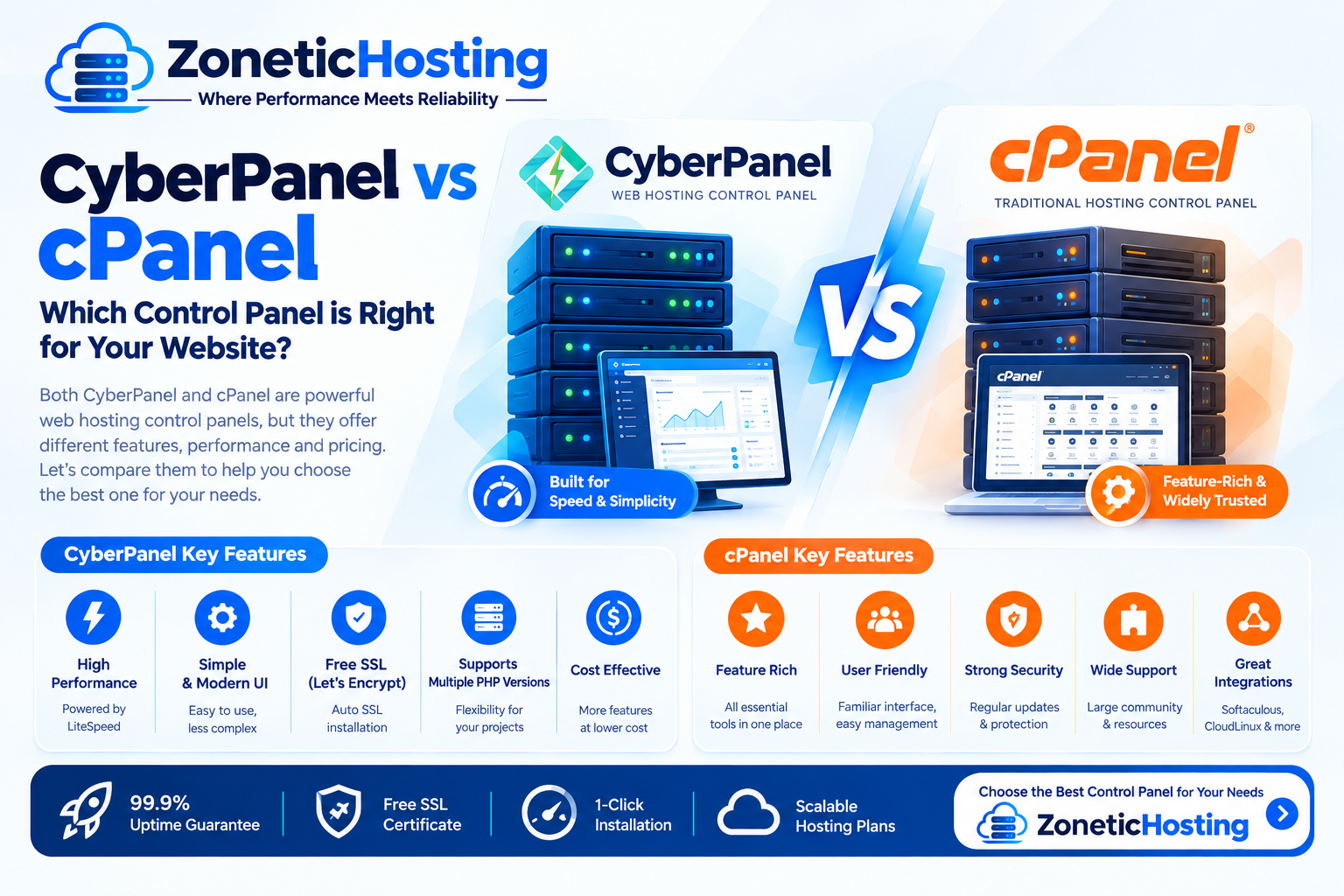
CyberPanel vs cPanel: Which Hosting Control Panel Is Better in 2026?
Choosing the right hosting control panel can make managing a website much easier.
Two popular control panels that website owners often compare are CyberPanel and cPanel.
Both allow you to manage websites, domains, databases, email accounts, SSL certificates, files, DNS and other hosting features. However, they are built around different technologies and offer different approaches to hosting management.
So, CyberPanel vs cPanel — which one should you choose in 2026?
The answer depends on your hosting requirements, budget, server technology, technical experience and the type of websites you want to host.
In this guide, we'll compare CyberPanel and cPanel based on performance, features, ease of use, security, pricing, resource usage, WordPress support and overall value.
CyberPanel vs cPanel: Quick Comparison
FeatureCyberPanelcPanelEase of UseEasyVery easyWeb ServerOpenLiteSpeed / LiteSpeedUsually Apache or LiteSpeedPerformanceExcellent with LiteSpeed stackExcellent with optimized stackWordPressExcellentExcellentFree VersionAvailableNo traditional free versionPaid LicensingGenerally lower-cost optionsUsually more expensiveEmail ManagementYesYesDNS ManagementYesYesSSL ManagementYesYesDatabase ManagementYesYesFile ManagerYesYesAuto InstallerAvailableCommonly availableServer ControlStrongStrongBest ForBudget-conscious users, LiteSpeed-focused hostingBusinesses, agencies, established hosting environments
The most important difference is that CyberPanel is closely associated with the LiteSpeed/OpenLiteSpeed ecosystem, while cPanel is a mature, widely adopted hosting control panel that can work with different web-server configurations.
What Is CyberPanel?
CyberPanel is a web hosting control panel designed to simplify server and website management.
It is commonly used with OpenLiteSpeed and can also be used with LiteSpeed Enterprise in supported setups.
Instead of managing a Linux server entirely through the command line, CyberPanel provides a graphical interface for many common hosting tasks.
You can use it to manage:
Websites
Domains
Subdomains
Databases
Email accounts
SSL certificates
DNS
File management
FTP accounts
Backups
PHP versions
Website settings
This makes it useful for users who want more control than traditional shared hosting while still having a graphical control panel.
What Is cPanel?
cPanel is one of the most widely recognized commercial web hosting control panels.
It provides a graphical interface for managing websites and hosting environments.
cPanel is commonly used by:
Web hosting companies
Resellers
Developers
Agencies
Businesses
Website administrators
cPanel provides tools for managing:
Websites
Domains
Subdomains
Email
Databases
Files
SSL certificates
DNS
Backups
FTP accounts
Security settings
One reason cPanel remains popular is its mature ecosystem and widespread adoption across the hosting industry.
CyberPanel vs cPanel: Ease of Use
Both control panels are designed to make hosting management easier.
However, the interface and workflow are different.
CyberPanel
CyberPanel has a relatively modern interface and provides access to common website and server management features.
For users familiar with hosting panels, the learning curve is generally manageable.
You can create websites, databases, email accounts and SSL certificates without using the command line for every task.
cPanel
cPanel is also designed for ease of use and has been used by hosting customers for many years.
Its interface provides access to a large number of hosting management features.
Because cPanel is so widely used, finding tutorials and documentation for common tasks is usually easy.
Winner for Beginners
cPanel has an advantage in familiarity and ecosystem.
However, CyberPanel is also relatively easy to learn, especially if your hosting provider has configured it properly.
CyberPanel vs cPanel: Performance
Performance is one of the biggest reasons people consider CyberPanel.
CyberPanel is strongly associated with the LiteSpeed/OpenLiteSpeed web server ecosystem.
LiteSpeed-based environments can provide excellent performance, especially for websites using WordPress and caching technologies.
cPanel itself is a control panel, not a web server.
A cPanel server can use different web-server technologies depending on the configuration and available software.
Therefore, comparing CyberPanel and cPanel purely on speed isn't completely accurate.
A better comparison is:
CyberPanel + OpenLiteSpeed/LiteSpeed
versus
cPanel + the web-server stack configured on the server.
The actual performance depends on:
CPU
RAM
Storage
Web server
PHP configuration
Database configuration
Caching
CDN
Website code
Plugins
Traffic
Performance Verdict
For a LiteSpeed-focused hosting environment, CyberPanel can be an excellent choice for performance-focused hosting.
cPanel can also deliver excellent performance when paired with a properly optimized web server and caching stack.
CyberPanel vs cPanel: WordPress
Both CyberPanel and cPanel can be used for WordPress websites.
CyberPanel for WordPress
CyberPanel can be particularly attractive for WordPress users because of its integration with the LiteSpeed ecosystem.
With the appropriate LiteSpeed setup, WordPress websites can benefit from caching and performance optimization features.
This can be useful for:
Blogs
Business websites
WooCommerce stores
Content websites
High-traffic WordPress websites
cPanel for WordPress
cPanel is also widely used for WordPress hosting.
Depending on the hosting provider, WordPress can be installed and managed through tools such as application installers or WordPress management features.
cPanel's long-standing ecosystem also means there are many guides available for WordPress hosting management.
Winner for WordPress
Both are good choices.
If your hosting environment is specifically optimized around LiteSpeed, CyberPanel can be an excellent option.
If you prefer the mature cPanel ecosystem and familiar hosting workflows, cPanel is a strong choice.
CyberPanel vs cPanel: Pricing
Pricing is another major difference.
cPanel is a commercial hosting control panel, and licensing costs can be significant depending on the server and account requirements.
Hosting providers generally factor these licensing costs into their hosting prices.
CyberPanel has historically offered a lower-cost entry point, including free/open-source-oriented options depending on the setup, which can make it attractive to users running their own servers.
However, the total cost isn't just the control panel license.
You should also consider:
Server cost
Backup cost
Web server license
Security software
Support
Management
CDN
Monitoring
Additional plugins
Migration costs
Which Is Cheaper?
For a self-managed server, CyberPanel can be more budget-friendly, depending on the exact software stack you choose.
cPanel generally has higher licensing costs, but you're also paying for a mature commercial ecosystem.
CyberPanel vs cPanel: Resource Usage
The control panel itself consumes server resources, but the overall resource usage depends heavily on the complete server stack.
Your server's:
CPU
RAM
Storage
Database workload
Number of websites
Traffic
Web server
PHP workers
can have a much larger effect on performance than the panel alone.
For a small VPS, resource optimization matters.
If you're running many websites on a limited-resource VPS, you should monitor CPU and RAM usage regardless of whether you're using CyberPanel or cPanel.
CyberPanel vs cPanel: Security
Both platforms provide security-related features, but security ultimately depends on the entire server configuration.
Important security measures include:
Firewall
SSL certificates
Strong passwords
Two-factor authentication
Regular updates
Malware scanning
Secure SSH configuration
Backup systems
User isolation
Brute-force protection
Access control
CyberPanel Security
CyberPanel provides various tools for managing hosting and server security.
However, administrators should still properly configure the underlying Linux server and keep the software updated.
cPanel Security
cPanel also provides many security-related tools and integrates with various server-security solutions.
Its mature ecosystem gives administrators access to a wide range of security and management tools.
Security Verdict
There is no automatic winner.
A properly configured and maintained server is more important than the name of the control panel.
CyberPanel vs cPanel: Email Hosting
Both CyberPanel and cPanel can support email hosting.
You can generally create:
Email accounts
Mailboxes
Forwarders
DNS records
Mail-related configurations
However, email deliverability depends on much more than the control panel.
Factors include:
SPF
DKIM
DMARC
Reverse DNS
IP reputation
Mail-server configuration
Spam protection
If you're hosting business email, proper DNS and mail configuration is essential regardless of the panel you use.
CyberPanel vs cPanel: DNS Management
Both platforms provide DNS management capabilities.
You can manage records such as:
A
AAAA
CNAME
MX
TXT
NS
DNS configuration becomes especially important when you're running websites, email, custom nameservers or external services.
For beginners, having DNS management directly inside the hosting panel can make setup significantly easier.
Both CyberPanel and cPanel provide this functionality.
CyberPanel vs cPanel: File Management
Both panels provide graphical file management tools.
You can typically:
Upload files
Download files
Create folders
Delete files
Edit files
Change permissions
Extract archives
This means you don't necessarily need an FTP client for every basic file-management task.
Advanced users can still use SSH or SFTP when required.
CyberPanel vs cPanel: Database Management
Both control panels support database management.
Typical tasks include:
Creating databases
Creating database users
Assigning permissions
Managing database credentials
Accessing database management tools
For WordPress, databases are essential because WordPress stores posts, users, settings and other information in the database.
CyberPanel vs cPanel: Backup Management
Backups are one of the most important parts of hosting.
Both environments can support backup workflows, but the exact features depend on your server configuration and hosting provider.
Before choosing a hosting plan, check:
How often backups are taken
How long backups are retained
Whether backups are stored on another server
Whether users can restore individual websites
Whether database backups are included
Whether backup storage costs extra
Never assume that a control panel automatically means your website is fully backed up.
Always check the hosting provider's actual backup policy.
CyberPanel vs cPanel for Reseller Hosting
If you're planning to start a hosting business or reseller hosting service, the choice becomes more important.
cPanel has a mature reseller ecosystem and is widely recognized by hosting customers.
It is commonly used in traditional reseller hosting environments.
CyberPanel can also be used for hosting businesses, especially when you want to build a lower-cost hosting infrastructure around the LiteSpeed ecosystem.
Your decision should consider:
Number of hosting accounts
Customer expectations
Billing software
Resource isolation
Support requirements
Licensing costs
Migration tools
Backup infrastructure
CyberPanel vs cPanel for Hosting Companies
Hosting companies should look beyond the control panel interface.
The complete infrastructure matters.
A professional hosting platform should consider:
Server Infrastructure
Reliable CPU, RAM, SSD/NVMe storage and network connectivity.
Security
Firewall, malware detection, access controls and regular security updates.
Backups
Independent backup storage and tested restoration procedures.
Monitoring
Server monitoring for CPU, RAM, disk usage, network traffic and service availability.
Customer Management
A billing and automation system can help manage:
Orders
Invoices
Renewals
Suspensions
Provisioning
Support tickets
The control panel is only one component of a complete hosting platform.
CyberPanel vs cPanel: Which Is Better for Developers?
For developers, the answer depends on the project.
CyberPanel can be attractive if you want:
LiteSpeed/OpenLiteSpeed
WordPress optimization
Lower software costs
A modern hosting panel
VPS-based hosting
cPanel can be attractive if you want:
A mature ecosystem
Familiar workflows
Large community
Extensive documentation
Widely supported hosting environments
If you frequently manage different hosting environments, knowing both panels can be useful.
CyberPanel vs cPanel: Which Is Better for Beginners?
If you're completely new to web hosting, both can work.
cPanel has an advantage because it has been around for a long time and is widely used by hosting companies.
CyberPanel can also be beginner-friendly, particularly when provided as managed hosting.
The most important factor is how well the hosting provider configures and supports the panel.
A good hosting provider can make either platform easy to use.
CyberPanel vs cPanel: Which One Should You Choose?
Here's a simple way to decide.
Choose CyberPanel If:
You want a LiteSpeed-focused environment
You want a cost-effective control panel
You're comfortable with VPS/server hosting
You run WordPress websites
Performance is important
You want more control over your hosting stack
Choose cPanel If:
You want a widely recognized control panel
You prefer a mature ecosystem
You need traditional hosting workflows
You're managing reseller hosting
You want extensive documentation and community resources
Your hosting provider already specializes in cPanel
Is CyberPanel Better Than cPanel?
Not necessarily.
CyberPanel can be better for users who prioritize LiteSpeed-based performance, cost efficiency and a modern hosting environment.
cPanel can be better for users who prioritize ecosystem maturity, familiarity, broad adoption and traditional hosting management.
The best option depends on your specific requirements.
Is cPanel Faster Than CyberPanel?
The control panel itself doesn't determine website speed.
Your website's performance depends on the complete infrastructure.
Factors include:
Web server
CPU
RAM
NVMe/SSD storage
PHP version
Database performance
Caching
CDN
Website optimization
Plugins and themes
A properly optimized server can be fast with either control panel.
Can You Migrate from cPanel to CyberPanel?
Yes, website migrations between hosting environments are possible.
However, the migration process depends on:
Number of websites
Website type
Database configuration
Email accounts
DNS setup
PHP version
Server configuration
Backup format
Before migration, take a complete backup of your website and database.
For business-critical websites, it's also a good idea to test the migrated website before changing DNS.
Can You Migrate from CyberPanel to cPanel?
Yes.
The process is possible but may require manual migration depending on the hosting setup.
You may need to migrate:
Website files
Databases
Email accounts
DNS records
SSL configuration
Cron jobs
Application settings
The exact process depends on the hosting environment.
CyberPanel vs cPanel: Final Verdict
Both CyberPanel and cPanel are capable hosting control panels, but they target slightly different preferences.
CyberPanel is an attractive choice for users who want a cost-effective hosting panel with a strong LiteSpeed/OpenLiteSpeed focus, particularly for WordPress and performance-oriented hosting.
cPanel remains an excellent option for users who want a mature, widely adopted commercial hosting platform with a large ecosystem and familiar hosting workflows.
For a beginner, either can work.
For a developer or server administrator, the decision should be based on your technical requirements.
And for a hosting company, you should evaluate the entire infrastructure — not just the control panel.
The best control panel is ultimately the one that provides the right combination of performance, security, usability, support and cost for your website or hosting business.
Frequently Asked Questions
Which is better, CyberPanel or cPanel?
Neither is universally better. CyberPanel can be attractive for LiteSpeed-focused and cost-conscious hosting, while cPanel offers a mature and widely adopted hosting ecosystem.
Is CyberPanel free?
CyberPanel has offered free/open-source-oriented options, while additional software or LiteSpeed-related components may have separate licensing or costs depending on the setup.
Is cPanel free?
cPanel is a commercial control panel and normally requires a license.
Is CyberPanel good for WordPress?
Yes. CyberPanel can be a strong choice for WordPress, particularly when used with a properly configured LiteSpeed/OpenLiteSpeed environment.
Can CyberPanel replace cPanel?
Yes. CyberPanel can perform many of the common website and hosting-management tasks users expect from a control panel, although workflows and features differ.
Which uses fewer resources?
Resource usage depends on the complete server setup, number of websites, applications and services running on the server. You should evaluate the entire environment rather than the control panel alone.
Which control panel is better for a VPS?
Both can work well on a VPS. CyberPanel may be attractive for users who want LiteSpeed/OpenLiteSpeed and lower-cost hosting management, while cPanel is a strong choice for users who prefer its established ecosystem.
Conclusion
Choosing between CyberPanel vs cPanel doesn't have to be complicated.
If you want an affordable, performance-focused hosting environment and like the LiteSpeed ecosystem, CyberPanel is worth considering.
If you want a highly established commercial control panel with broad industry adoption, cPanel remains a strong choice.
Before making your decision, compare the complete package:
Performance + Security + Features + Support + Backups + Pricing + Scalability
That's what ultimately determines whether your hosting setup is right for your website.

Have a question about hosting?
Our team can help you pick the right plan for your website.